Why Does Backlighting Change the Appearance of a Printed Poster?
Most posters we print are evaluated under reflected light—meaning ambient room light strikes the surface and reflects straight back to the viewer’s eyes. In this setting, what you see on the proofing table is pretty much what you get. Backlit advertising, however, completely turns these rules upside down by introducing transmitted light. Instead of light simply bouncing off the front, a powerful lightbox engine forces light directly through the substrate and your ink layers. This creates a drastic visual shift: contrast ratios skyrocket, colors can lose up to 30% of their apparent density, and hidden flaws in the paper structure suddenly become glaringly visible.
For print shops running high-stakes bus shelter or transit campaigns, failing to account for this optical shift often leads to costly reprints. An image with heavy shadows that looks rich under office fluorescent lights might look flat, muddy, or washed out the moment the backlit switches on. Understanding why this happens isn’t just theory—it’s the difference between delivering a glowing masterpiece and getting a call from a disappointed client.
Reflected Light vs. Transmitted Light: What Changes When the Light Turns On?
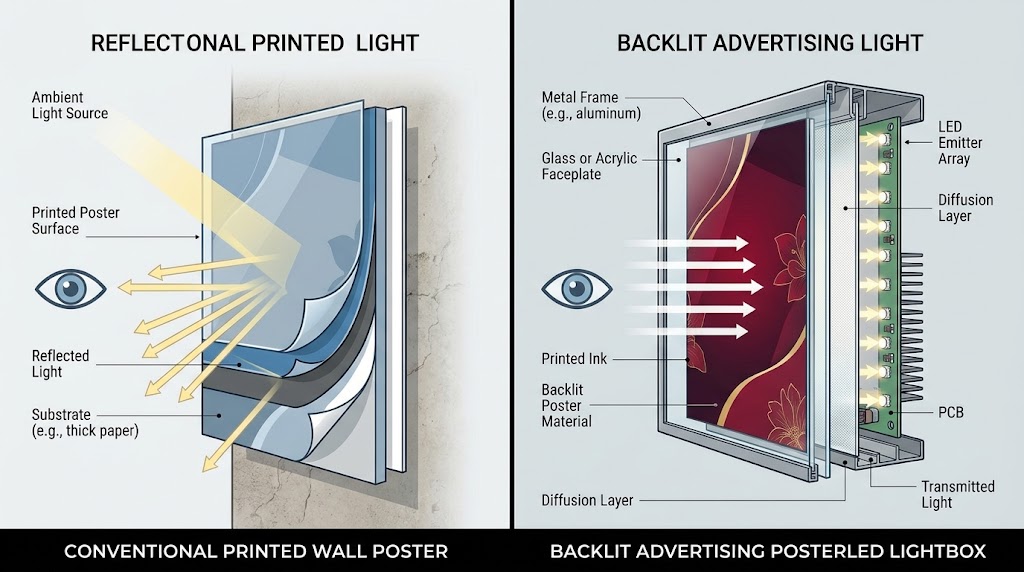
With an ordinary wall poster, ambient light strikes the printed surface and reflects toward the viewer. A backlit poster works differently. Light from inside the display passes through the paper and printed ink layers before reaching the viewer. This brings the material’s light-transmission characteristics into the picture. A dense patch of ink may block more light than a lightly printed area. Meanwhile, variations in the material or illumination system may become more noticeable once the poster is lit from behind. The result is that the same artwork can look different under reflected and transmitted light. Citylight Paper is developed specifically for this type of display, where the material needs to support the printed image while allowing suitable light transmission.
Why Do Colors Lose Depth or Look Uneven in a Light Box?
When a backlit poster looks pale, the temptation is to increase ink density immediately. Sometimes the print does need a different density setting. But don’t start adding ink before checking the light box itself. Is the illumination even? Are the light sources creating noticeably brighter areas? Does the paper perform consistently across the display? Print density, the material’s light-transmission properties and the illumination system all influence the finished image. Excessive ink application can also introduce problems of its own, depending on the printing technology and media. A more reliable approach is to print a test image containing dark gradients, skin tones, solid colors and fine details. Examine it under normal lighting, then place it inside the intended light box. The second view is the one your client’s audience will actually see.
What Makes Citylight Paper Perform Well Under Backlighting?
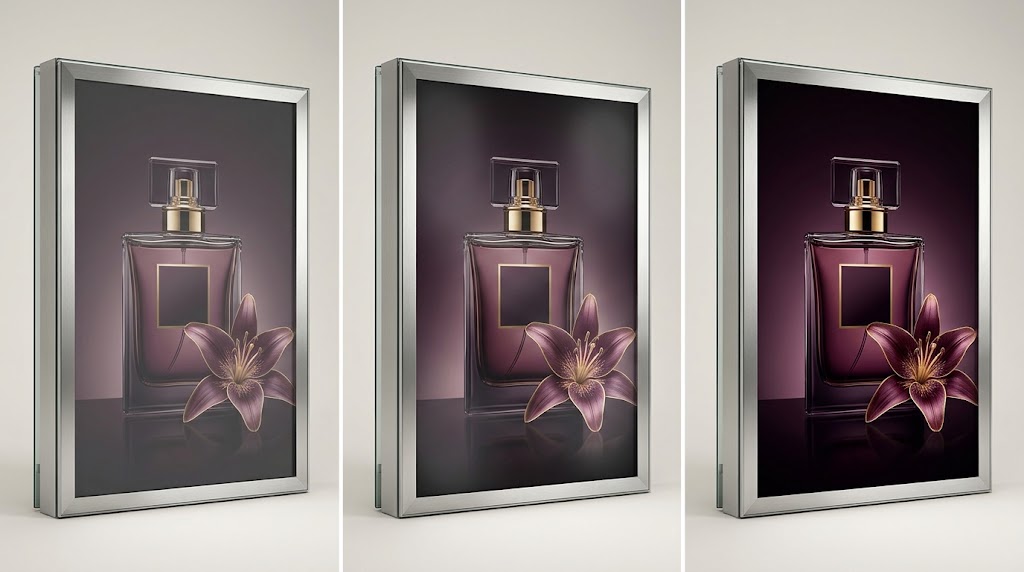
Citylight Paper isn’t just ordinary poster paper made slightly thinner; it is a technically sophisticated medium engineered specifically to work in harmony with internal light sources. When a poster is illuminated from behind, every micro-imperfection in the paper pulp—from uneven fiber density to microscopic coating pinholes—can cast unwanted shadows or create distracting “hot spots.”
A truly high-performing Citylight paper relies on three core engineering pillars: uniform light diffusion, tailored ink reception, and physical resilience. It needs a specialized micro-porous coating that locks in ink pigments near the surface, preventing ink sinkage that dulls colors. At the same time, the base paper matrix must feature exceptional wet-strength performance. This ensures that even when saturated with heavy ink loads or exposed to humid outdoor bus shelter environments, the sheet remains perfectly flat and structurally sound without sagging, wrinkling, or binding inside scrolling display frames.
How Coating and Ink Compatibility Affect Backlit Print Quality
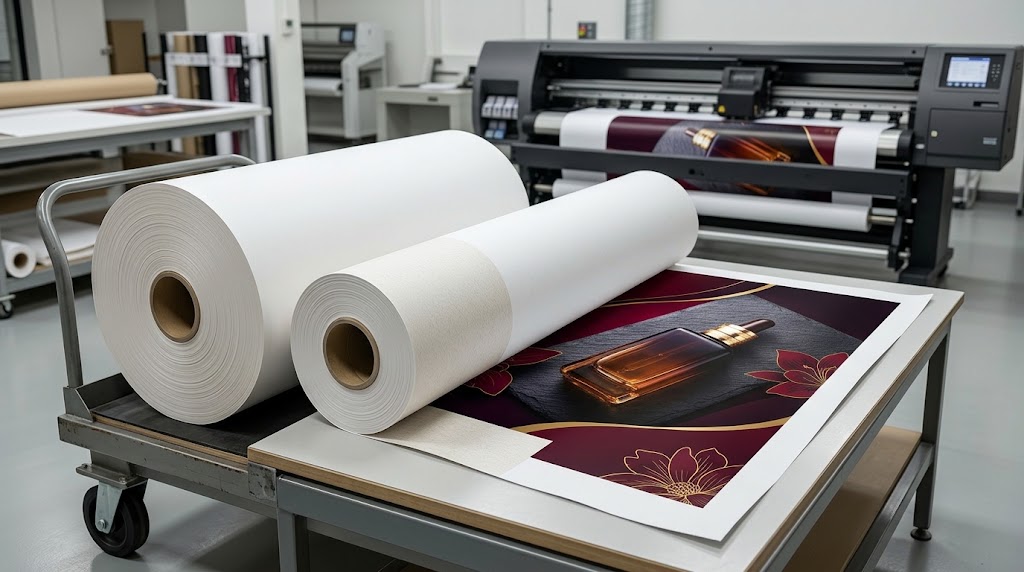
The coating plays a significant role in how a printed image develops on the paper. Its formulation needs to work with the intended ink system, supporting consistent ink reception and image reproduction without compromising the finished surface. However, different printing technologies don’t behave identically. A paper suitable for Eco-solvent or Solvent printing should not automatically be assumed compatible with UV or Latex systems. NAISI offers different Citylight Paper grades to address these requirements, including FPH-125VM and FPH-145VM, as well as FPH-120US and FPH-135US options developed for UV/Latex printing applications. When testing a new grade, skip the temptation to print only a small, colorful logo. Use an image that makes weaknesses easier to spot: deep shadows, smooth gradients, detailed photography and large areas of solid color. Then inspect the result with the backlight switched on. This tells you far more about the paper’s suitability than judging its unprinted surface or checking a sample under office lighting.
How Paper Weight and Wet Strength AffectHandling and Display Performance
A backlit poster still has to survive everything that happens between printing and installation. It may be rolled, transported, handled during mounting or used in a display where the media moves repeatedly. This makes physical performance just as relevant as the printed image. NAISI offers 125gsm and 145gsm Citylight Paper options with wet-strength properties. The extra weight of a 145gsm grade may influence its handling characteristics, but it doesn’t automatically make it the better option for every project. Wet strength is particularly valuable because it helps paper retain its integrity when exposed to moisture. It should, however, be considered alongside other practical requirements. For Citylight scrollers, for example, the display system’s tension, media dimensions, curling behavior and mechanical compatibility also matter. Before selecting a grade, find out what the equipment actually requires. A paper that prints beautifully but doesn’t run properly through the display system is still the wrong paper for that job.
How Do You Choose the Right Material for YourLight Box Application?
Selecting the ideal substrate for an illuminated campaign is never a one-size-fits-all decision, nor should it be decided solely by looking at material prices in a catalog. The right choice hinges on a careful balance between display duration, ambient exposure, lightbox design, and your print shop’s specific equipment setup.
For example, a two-week promotional blitz in a shopping mall lightbox has vastly different requirements than a 6-month outdoor bus shelter campaign exposed to rain, UV rays, and temperature swings. While rigid film-based substrates like PET offer extreme dimensional stability for ultra-high-end cosmetic graphics, premium paper-based Citylight media provides an unbeatable, eco-conscious, and cost-effective sweet spot for large-volume transit rollouts. Making the right call requires looking beyond the sample binder and matching the physical properties of the media—such as GSM, coating formula, and tensile strength—to the exact real-world demands of your client’s project.
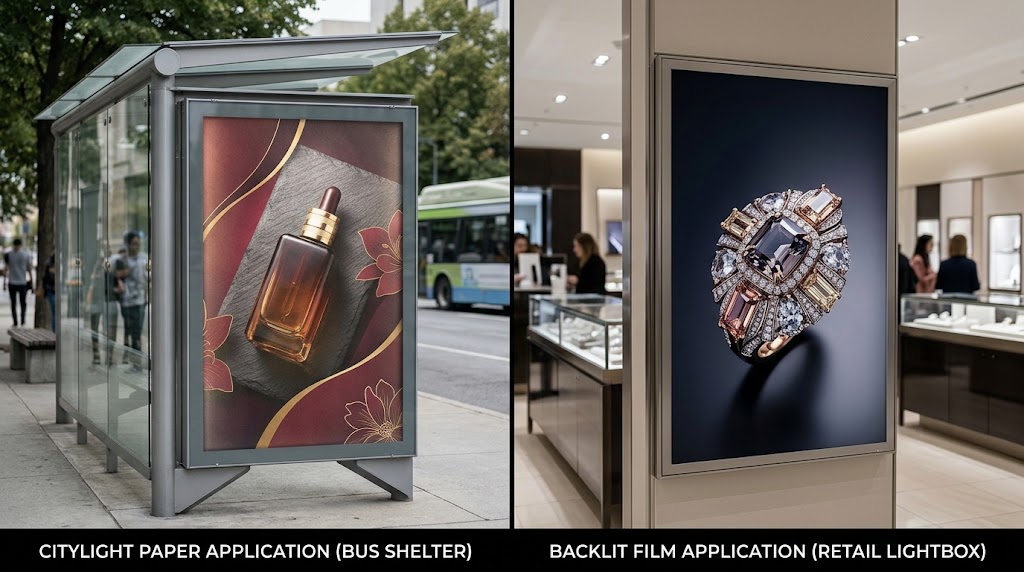
Citylight Paper vs. Backlit Film: Which One Fits Your Project?
Citylight Paper is an established option for illuminated advertising, including bus shelters and other poster-based light box applications. Backlit Film offers alternative material structures, including PP and PET, for projects with different handling, installation or display requirements. The choice should reflect how the finished graphic will be used. Consider the expected campaign duration, the construction of the light box, whether the graphic will remain stationary or move through a scrolling mechanism, and which printing system will be used. For example, a short promotional campaign in a retail light box may have different priorities from an outdoor transit display operating through changing weather conditions. Neither paper nor film is automatically the better choice. Compare the actual product grades, check their application requirements, and test the printed material in the intended display.
What Should You Check Before Ordering Citylight Paper?
A supplier can recommend a more suitable grade when they understand the job rather than just the requested paper weight. Before placing a production order, prepare these details: Printer model and ink system. Required GSM, roll width and length. Light box type and installation method. Indoor or outdoor application and expected display period. Any special requirements for backlighting, handling or scrolling. And if you’re changing materials, ask for samples before committing to a full production run. With more than 20 years of coating technology experience, NAISI manufactures digital printing media for different advertising applications, including Citylight Paper and Backlit Film. Whether you’re preparing a bus shelter campaign, a retail light box installation or evaluating a new backlit material for your print shop, our team can help you identify a suitable grade and arrange samples for testing. A backlit poster shouldn’t be judged only when it leaves the printer. The real test begins when the light turns on.